

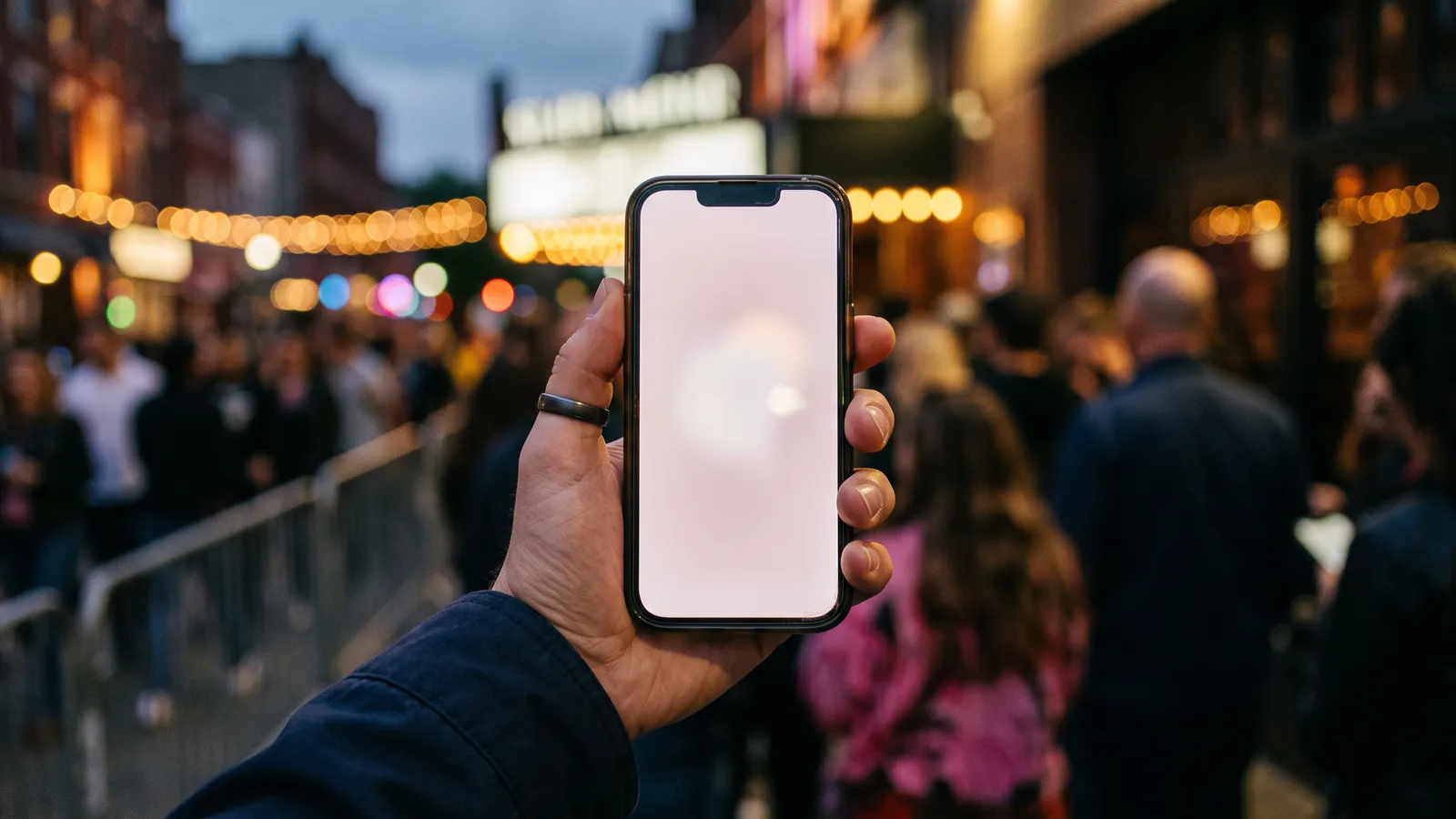
Short version: a screenshot of a mobile ticket won't get you in. Ticketmaster's US help centre says its mobile tickets carry a barcode that "automatically refreshes every 15 seconds for fraud and counterfeit protection", and that once you view the ticket in the app it's saved to that specific phone. Its own line is blunt: "Screenshots won't get you in." Ticketek says the same thing about its tickets: they "cannot be printed or screenshotted" and have to be scanned from the Ticketek app or your phone's wallet.
So the ticket that works is the live one, on the phone it lives on. Below is how that works at the gate, why your barcode might not be there yet, what the wallet error messages mean, and how to get a ticket to a mate properly. Everything comes from the Ticketmaster (Australia, New Zealand and US) and Ticketek (Australia) help centres as we read them on 3 October 2026. These policies change, so check the help page for your seller before the show.
Key things to know
- Ticketmaster's US help centre says SafeTix barcodes refresh every 15 seconds, so a screenshot is out of date almost straight away.
- Ticketek says its mobile and in-app tickets can't be printed or screenshotted. Scan from the Ticketek app or your phone's wallet.
- Barcodes can unlock late: about 3-7 days out on Ticketmaster AU, about 3 days in the US, about 48 hours on Ticketek.
- In Apple Wallet there's no barcode to show. You hold the back of your phone to the reader.
- Sending a ticket to a friend? Use Ticket Transfer or Ticketek's sharing. They get a fresh barcode and yours stops working.
On this page
Quick facts
| Screenshots | Not accepted by Ticketmaster or Ticketek |
| Why | Ticketmaster's barcode refreshes every 15 seconds (US help centre) and is saved to one device |
| Where a ticket has to be | The seller's app, the mobile website (Ticketmaster), or Apple or Google Wallet |
| Wallet entry | Hold the back of the phone to the reader; no barcode is shown in Apple Wallet |
| When barcodes appear | Ticketmaster AU: usually 3-7 days before. US: within about 3 days. Ticketek: about 48 hours |
| No internet at the venue | Add the ticket to your wallet, or open it in the app before you arrive |
| Giving a ticket away | Ticketmaster Ticket Transfer or Ticketek ticket sharing, never a screenshot |
| Lost or broken phone | Box office or Fan Support, with photo ID and your order number |
Why won't a screenshot of my ticket scan?
Ticketmaster calls its system SafeTix. The barcode you see in the app isn't a fixed image. The US help centre says it "automatically refreshes every 15 seconds", so a screenshot captures a code that stops being current a few seconds later. On top of that, the ticket gets tied to the device you first open it on. The US Mobile Entry page says "screenshots will not be accepted for entry", and the US mobile tickets page says a mobile ticket "must be provided either within the app, the mobile website or your phone's wallet".
The 15-second figure is from Ticketmaster's US help centre. The Australian and New Zealand pages we read don't give a refresh time, but the Australian Google Wallet article does call the fallback code your "SafeTix rotating barcode", and both say mobile-only tickets can only be accessed on your phone, not printed or emailed.
Ticketek doesn't explain how its barcodes work. It just says mobile and in-app tickets can't be printed or screenshotted, and must be scanned from the Ticketek app or your phone's wallet.
The practical upshot is the same for both: the ticket has to be opened live on the phone at the gate. That's also why a screenshot or PDF someone sends you is a red flag (more on that below).
What do I actually show at the gate?
It depends where your ticket is.
In the Ticketmaster app. Open the app, sign in, tap My Tickets, find your order, tap View Tickets and present the ticket to be scanned. That's the process on the Australian and New Zealand help centres.
In Apple Wallet. Open the ticket in Wallet and "place the back of your phone against the scanning device or reader." Ticketmaster Australia and NZ both say barcodes are not displayed when tickets are added to your wallet, so don't panic when you can't find one. It's a tap, like paying for a coffee.
In Google Wallet. Find the ticket in Google Wallet and, when it says "hold to reader", put your phone to the contactless entry point. Ticketmaster Australia notes the NFC antenna sits in different spots on different phones, so try the top, middle or bottom of the back. If the tap still doesn't work, open the ticket and tap Show code: "You'll be presented with your SafeTix rotating barcode."
Ticketmaster's US help centre gives the same fallback for wallet tickets: if contactless entry fails, "tap Show code and present your rotating barcode."
Ticketek tickets. At turnstiles, hold the phone so the barcode sits under the scanner. At hand-held scanners, show it to the staff member. If the ticket in your wallet isn't working, Ticketek says to scan it from the Ticketek app instead, through your order history.
Why can't I see my barcode yet?
Often it's on purpose. Some events hold barcodes back until close to the date.
- Ticketmaster Australia calls it a mobile barcode delivery delay, "an added security feature", and says barcodes are typically accessible within 3-7 days before the event.
- Ticketmaster US says barcodes are usually available "within three days before your event". If you bought more than a week ahead, they should show up in your account a few days before the show.
- Ticketek says app and mobile barcodes "may remain locked until approximately 48 hours before the event", and you can't add them to a wallet or share them until they unlock. It describes delivery delays as a hold promoters can request "to manage ticket limits and reduce the risk of scalping". Ticketek also keeps a Live Updates page listing events with delayed delivery, where some tickets aren't released until 24 to 48 hours before.
If the window has passed and there's still nothing, Ticketmaster (AU and US) suggests updating the app, adding the tickets to your mobile wallet, and checking you're signed in to the account you bought with. Still nothing two days before the event? Contact Fan Support. For Ticketek, if your barcode is still locked on the day, go to the box office.
Ticketmaster Australia adds that barcodes may not be visible if you're viewing tickets through your mobile wallet. To find one in the app, go to My Tickets, your order, then Ticket Details. On the mobile website, tap the "i" symbol at the top right and scroll.
Adding tickets to Apple Wallet or Google Wallet
Apple Wallet (Ticketmaster AU and NZ): in the app, sign in, go to My Tickets, tap your order, then Add to Apple Wallet.
Google Wallet (Ticketmaster AU): My Tickets, your order, then Save to Google Wallet. If Google Wallet isn't installed, a web page opens to finish the job. Check NFC is on under Settings > Connected devices > Connection preferences, and in Google Wallet's settings use Set up contactless to turn on NFC. Ticketmaster says NFC needs to be on and Google Wallet set as your default payment app.
Some orders can't go into Apple Wallet at all. Ticketmaster Australia lists Venue Collect and Print-at-Home delivery, orders bought over the phone, exchanged tickets, and orders that include VIP or premium tickets or non-refundable extras such as merchandise.
For Ticketek, add tickets to Apple or Google Wallet from the Ticketek app once they've unlocked. No app? Use the links in your confirmation email or your order history on the website.
If you're outside the countries where the Ticketmaster app is offered (Australia, New Zealand and the US are all on the list of 21), Ticketmaster says to use your phone's web browser to add tickets to your wallet.
Wallet error messages, decoded
Ticketmaster's Australian and US help centres cover the common Apple Wallet errors. Here's what they mean.
| What you see | What Ticketmaster says it means | What to do |
|---|---|---|
| Pass Disabled | The ticket was bought from a third party and not transferred correctly; iOS or the app is out of date; your phone can't run the latest iOS; or the tickets are already in someone else's wallet | Update iOS and the app. If it's a resale ticket, go back to where you bought it |
| Invalid, or the pass is greyed out | The ticket has been transferred, sold or cancelled and can't be used for entry | Check My Tickets. If you didn't do any of that, contact Fan Support |
| Device Limit Reached | The tickets may already be in someone else's wallet, or the account is linked to another Apple ID | The account owner contacts Ticketmaster to unlink it |
| Error when adding to wallet | Often an old app version, a ticket already in another fan's wallet, or a VPN or proxy | Update the app and turn off your VPN, Apple's Private Relay and any proxy |
| Contactless tap not reading | NFC off or phone held in the wrong spot (Google Wallet) | Move the phone around the reader, check NFC, or tap Show code |
One rule sits behind several of these. Ticketmaster says "any tickets purchased from an individual Ticketmaster Account can only be linked to one Apple ID." If you bought for a group, everyone else needs their ticket transferred to them, not added to their wallet from your login.
How do I send a ticket to a friend?
Not with a screenshot. Use the seller's transfer tool so your friend gets a ticket of their own.
Ticketmaster Ticket Transfer. Ticketmaster Australia says it's free, and the person you send to is issued a new barcode that only they can use. Your copy stops being valid. You can send by email, text or WhatsApp (WhatsApp works through the mobile browser), and you may be asked for a one-time code. The ticket shows as "Waiting to accept" or "Sent" until your friend claims it, then "Accepted by" or "Claimed". Only the sender can cancel a transfer that hasn't been accepted yet.
Transfer isn't always available. Ticketmaster lists these reasons: the venue doesn't offer it, the artist or venue has turned it off, the event is cancelled or already happened, the tickets were bought over the phone, or the mobile tickets are under a delivery delay. If you get errors, turn off your VPN, Private Relay or proxy. And if a ticket was transferred to you from another country, sign in to that country's Ticketmaster site to find it.
Ticketek ticket sharing. In the Ticketek app, go to Your Tickets and tap Share, then send by email or SMS. Your friend has to log in to or create a Ticketek account, and they have 48 hours to accept before it goes back to you. You can cancel or recall a share, and the recipient can return it. Remember you can't share until the barcode unlocks, about 48 hours before for delayed events.
Spark Arena (NZ). Ticketmaster New Zealand says tickets for Spark Arena events can be accessed in the Spark Arena app. Create an account there with the same details as your Ticketmaster account. Ticketmaster emails you when they're ready. If you bought before the week of the event, they should be there no later than 48 hours before; otherwise up to 24 hours before. You can still use the Ticketmaster app or website if the Spark Arena app doesn't work for you, and transfers from the Spark Arena app go by email or SMS.
Can I print my mobile ticket or get it by SMS?
No, for mobile tickets. Ticketmaster Australia says that if an event is mobile only, or you picked Mobile Entry at checkout, the tickets can only be accessed on your phone. They can't be printed from your account or emailed to you, and Ticketmaster doesn't send tickets by SMS.
It works the other way too. Ticketmaster Australia says Print-at-Home tickets "must be printed and cannot be presented digitally from a smartphone at the venue." Some events offer an eTicket option that gives you both a mobile ticket and a Print-at-Home ticket.
Ticketek doesn't send an SMS with a ticket link after purchase either, and it says you can't change the delivery method once the order is confirmed.
What if my phone is lost, broken or flat?
- Ticketmaster (AU and US): if tickets are lost, stolen, damaged or destroyed, contact Fan Support with your order number or the card you paid with. Ticketmaster's US mobile tickets page says that if your phone is lost or damaged you can go to the venue box office with ID and your order number.
- Ticketek: if you can't get to your mobile ticket at the venue, go to the box office. You have to be the account holder or cardholder, with valid photo ID.
None of the help pages we read cover a flat battery specifically. The safe move is to charge your phone fully before you leave and bring a power bank. If it dies anyway, the box office route above is your best bet, but check with the venue.
Screenshots and scams
A screenshot or PDF of a ticket from someone you don't know isn't a ticket you can rely on. It can't carry a live rotating barcode, and if the seller has the real ticket on their phone, they can still use, transfer or resell it.
Ticketek says it can only verify tickets bought through its website, its app or Ticketek Marketplace. Tickets from unauthorised sellers may be cancelled without notice or fail to get you in, and it points people to the ACCC's Scamwatch to report scams. Ticketmaster Australia's advice on transfers is to know and trust the person sending you tickets. If you bought resale elsewhere and the ticket was transferred to you, Ticketmaster says to contact the original point of purchase about problems.
Before you go
- Update the Ticketmaster or Ticketek app.
- Sign in to the account you bought with.
- Check the barcode has unlocked (3-7 days out on Ticketmaster AU, about 3 days in the US, about 48 hours on Ticketek).
- Add the ticket to Apple Wallet or Google Wallet, or open it in the app at home so it's saved for offline use.
- Android: check NFC is on and Google Wallet is your default payment app.
- Going with friends? Transfer or share their tickets now, not at the gate.
- Turn off your VPN or Private Relay if adding or transferring fails.
- Charge your phone, bring a power bank, and carry photo ID and your order number.
Sources
26 sources used for this guide
- Ticketmaster US Help: Why do my tickets have a moving barcode?
- Ticketmaster US Help: How do I use Mobile Entry tickets?
- Ticketmaster US: Mobile tickets
- Ticketmaster US Help: How do I access mobile tickets if I'm outside the US or Canada?
- Ticketmaster US Help: How do I use Apple or Google Wallet?
- Ticketmaster US Help: Why does the ticket in my mobile wallet say it's invalid?
- Ticketmaster US Help: My ticket isn't working in my Apple Wallet
- Ticketmaster US Help: Why can't I access my mobile tickets yet?
- Ticketmaster US Help: I don't see the barcodes
- Ticketmaster US Help: What should I do if my tickets were lost, stolen or damaged?
- Ticketmaster Australia Help: How do I use Mobile Entry tickets?
- Ticketmaster Australia Help: How do I add tickets to Apple Wallet?
- Ticketmaster Australia Help: How do I use Google Wallet for event entry?
- Ticketmaster Australia Help: My ticket isn't working in my Apple Wallet
- Ticketmaster Australia Help: Why can't I access my mobile tickets yet?
- Ticketmaster Australia Help: How do I find my ticket barcode?
- Ticketmaster Australia Help: How does Ticket Transfer work?
- Ticketmaster Australia Help: Ticket Transfer troubleshooting
- Ticketmaster Australia Help: Can I have my tickets sent by SMS to my phone?
- Ticketmaster Australia Help: What should I do if my tickets were lost, stolen or damaged?
- Ticketmaster New Zealand Help: How do I use Mobile Entry tickets?
- Ticketmaster New Zealand Help: How do I add tickets to Apple Wallet?
- Ticketmaster New Zealand Help: How do I access my Spark Arena event tickets?
- Ticketek Help: Ticket Delivery Information & FAQs
- Ticketek Help: Ticket Delivery Information - Live Updates
- Ticketek Help: Should I buy tickets from an unauthorised seller, and can I check if my tickets are valid?